Watch Quick Video
Customer Edit Quotation Odoo Module
The Customer Edit Quotation Odoo module allows customers to directly update their quotations from the portal without backend intervention. With this Odoo portal quotation edit feature, users can modify product quantities and manage quotation lines easily.
Customers can edit quantities or remove items from the quotation using a simple interface. This makes it easier to edit quantity in Odoo quotation or delete lines in Odoo quotation without requiring manual updates from the sales team.
When a quantity is updated, the system automatically recalculates pricing, subtotals, and totals in real time. If a product line is deleted, a confirmation popup ensures accuracy and prevents accidental removal.
All updates made from the portal are instantly reflected in the backend, ensuring full synchronization and accurate customer portal quotation management across both customer and internal teams.
This module is ideal for businesses looking to provide a self-service experience, allowing customers to modify quotation in Odoo portal while maintaining data consistency and improving workflow efficiency.
Key Features
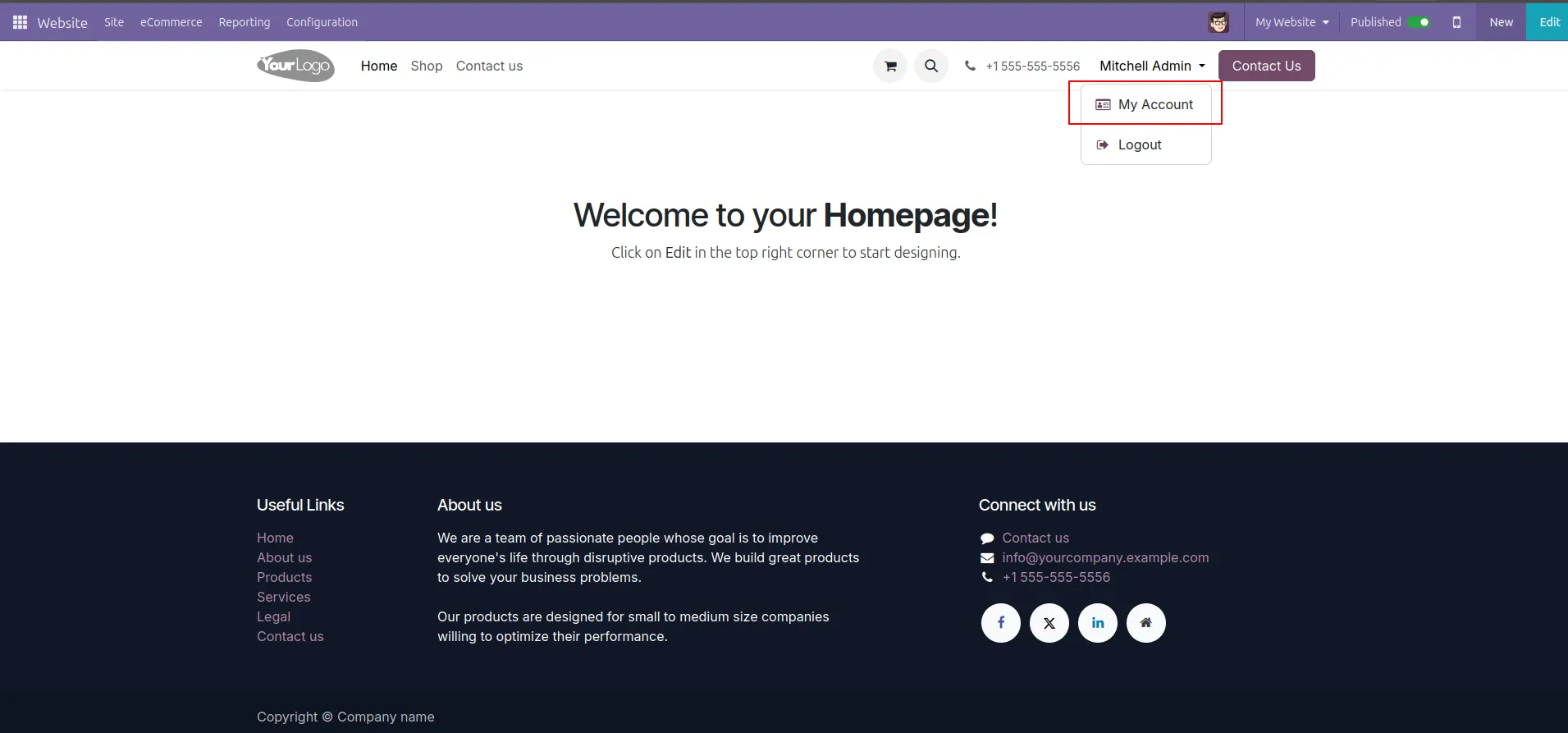
1.Website → Login → Click My Account.
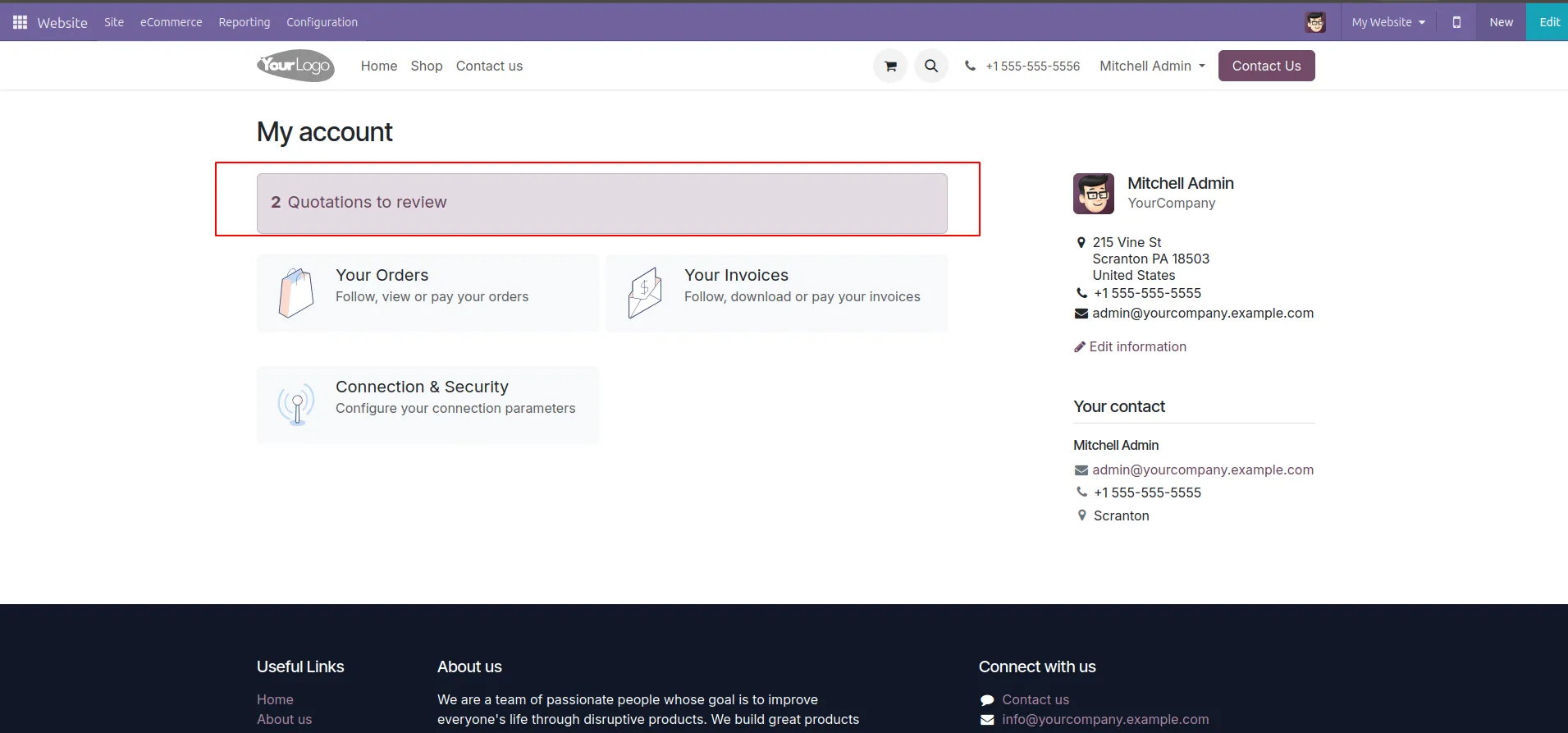
2.My Account → Click “2 Quotations to review”.
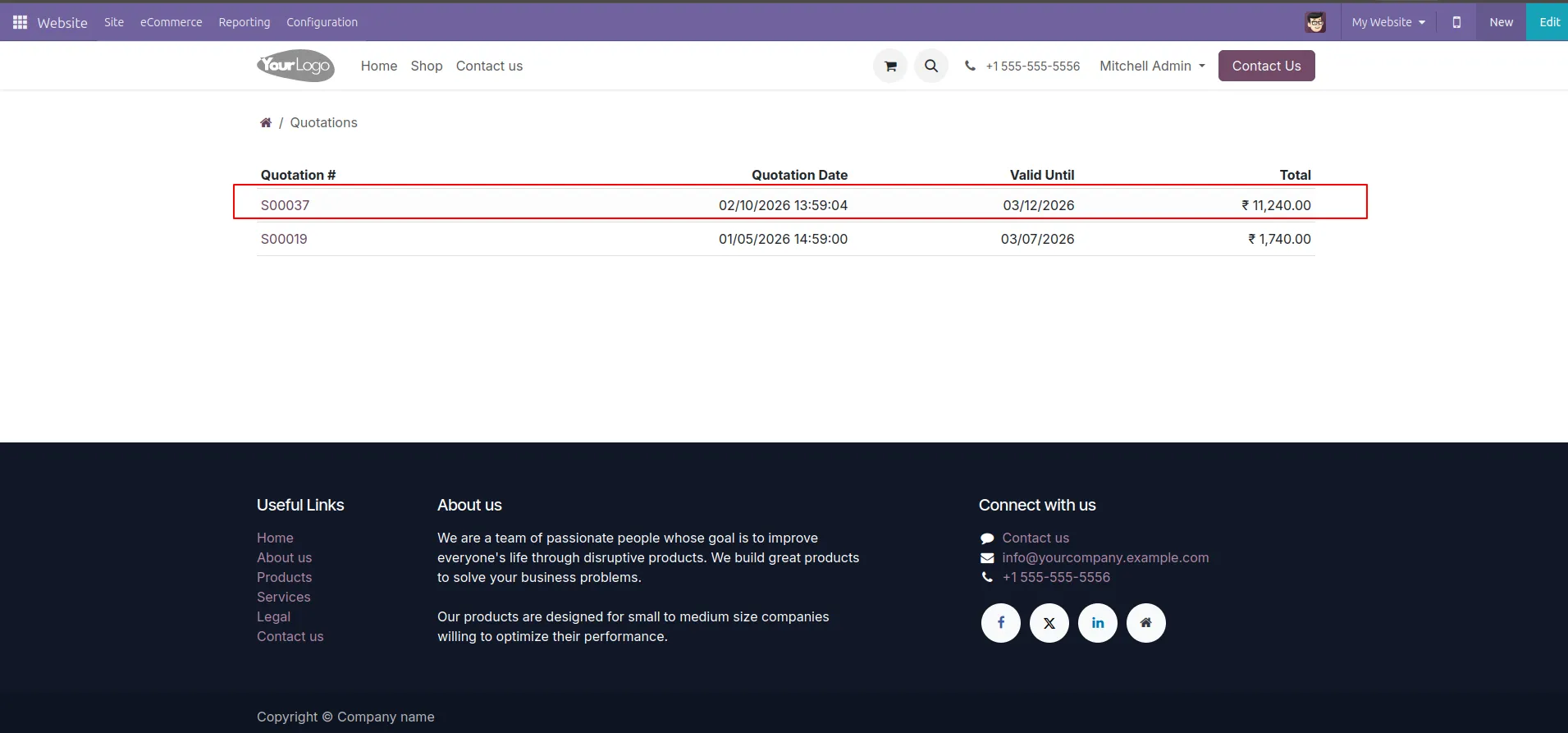
3.Quotations list → Click Quotation S00037.
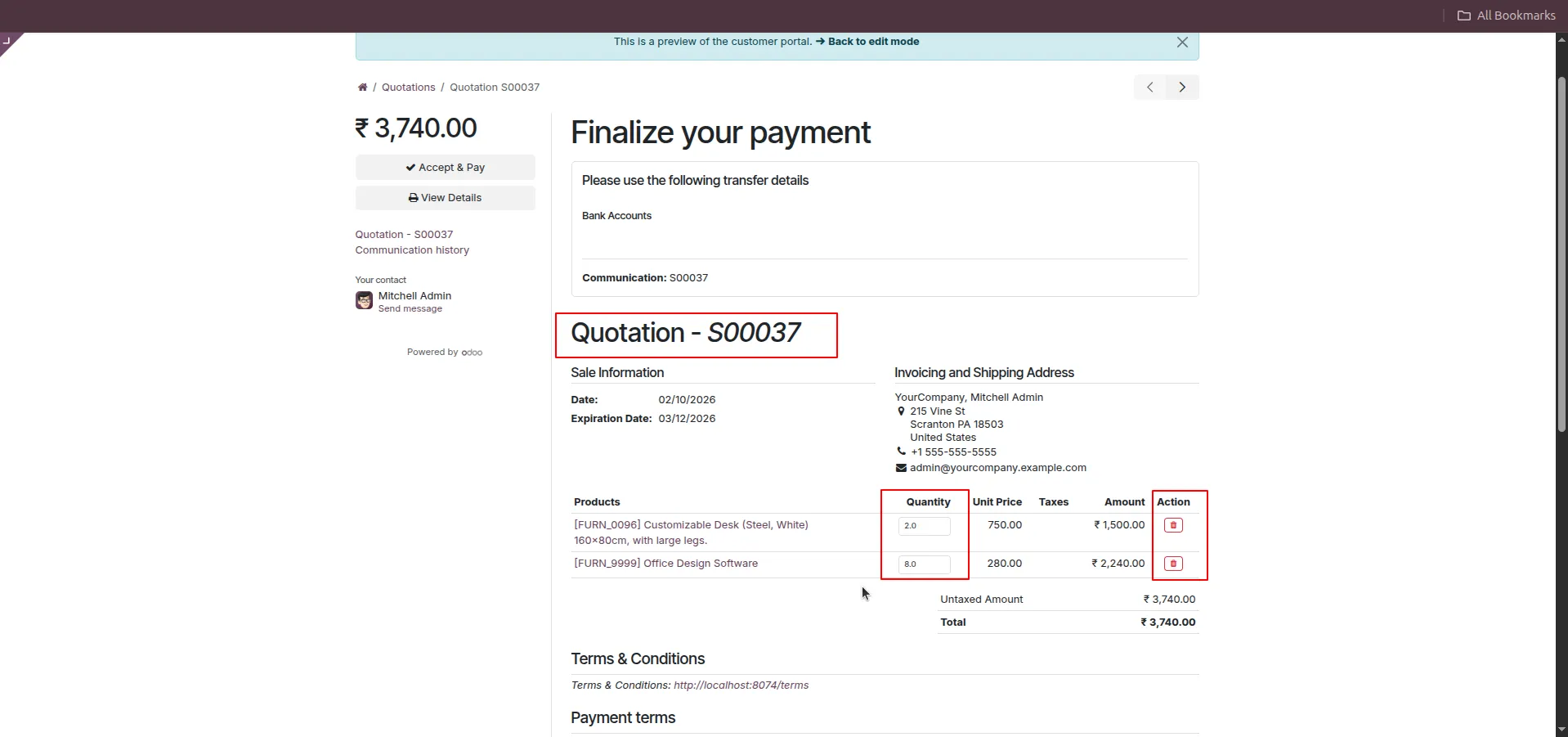
4.Quotation page → Click Delete icon on a product line.
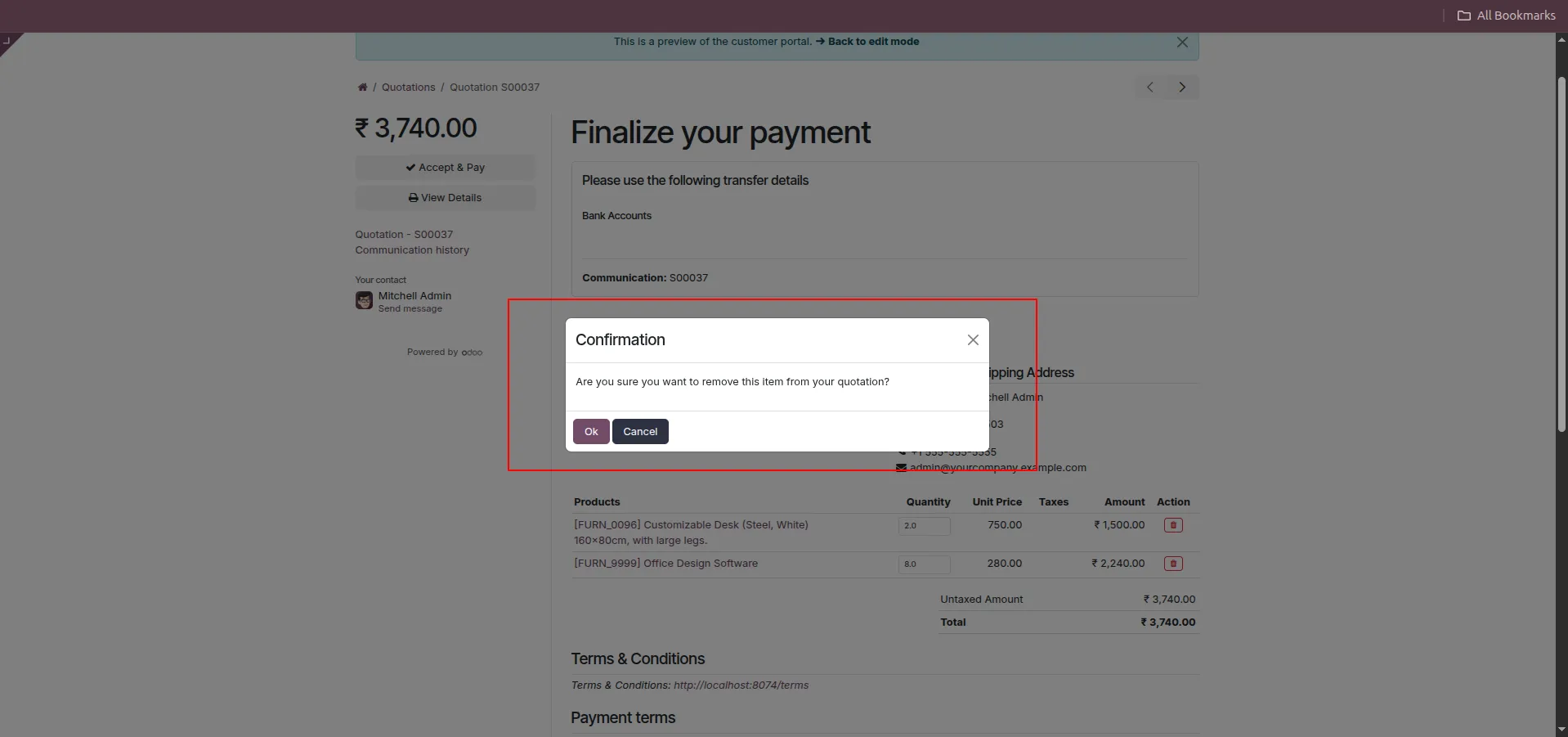
5.Confirmation popup → Click OK.
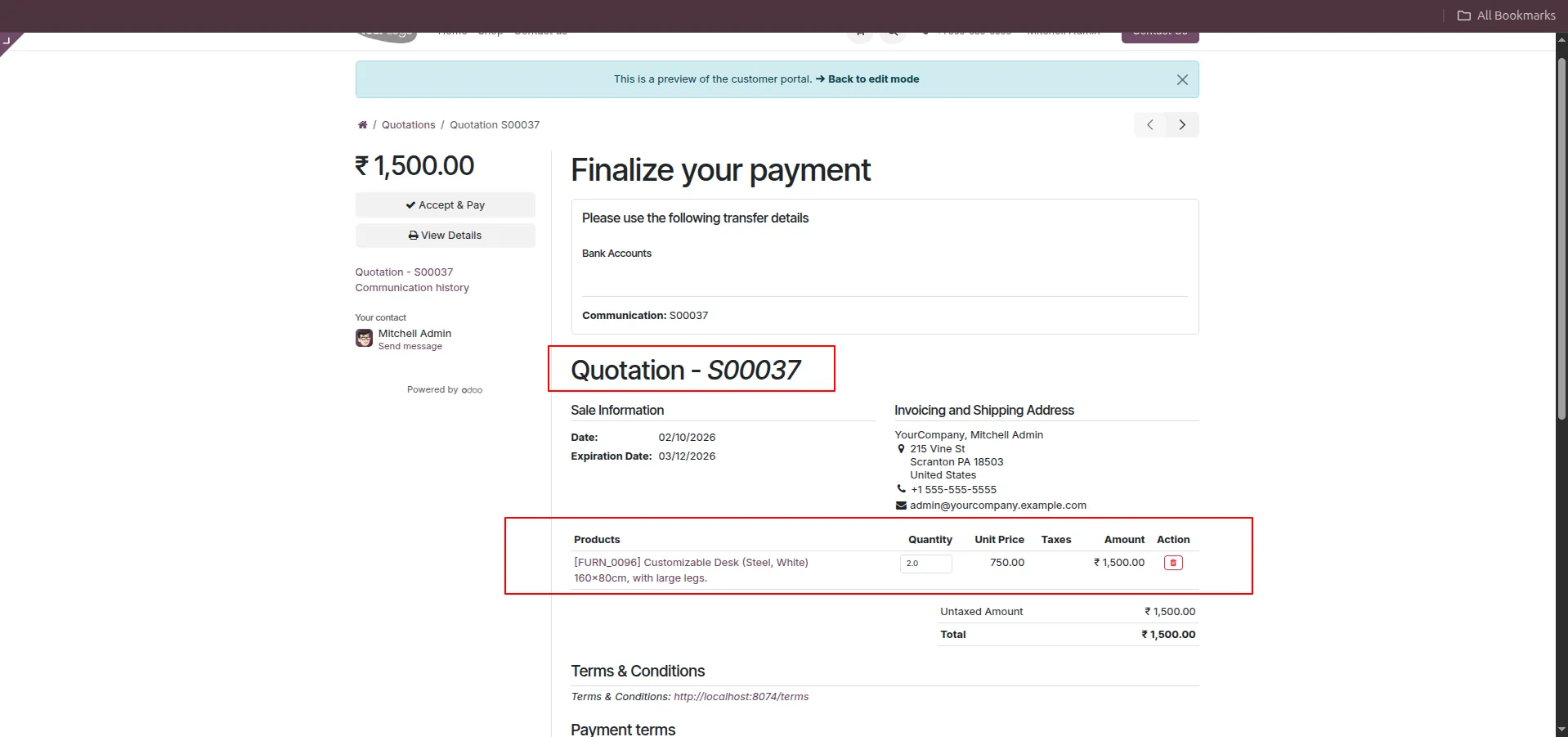
6.Quotation total updates automatically.
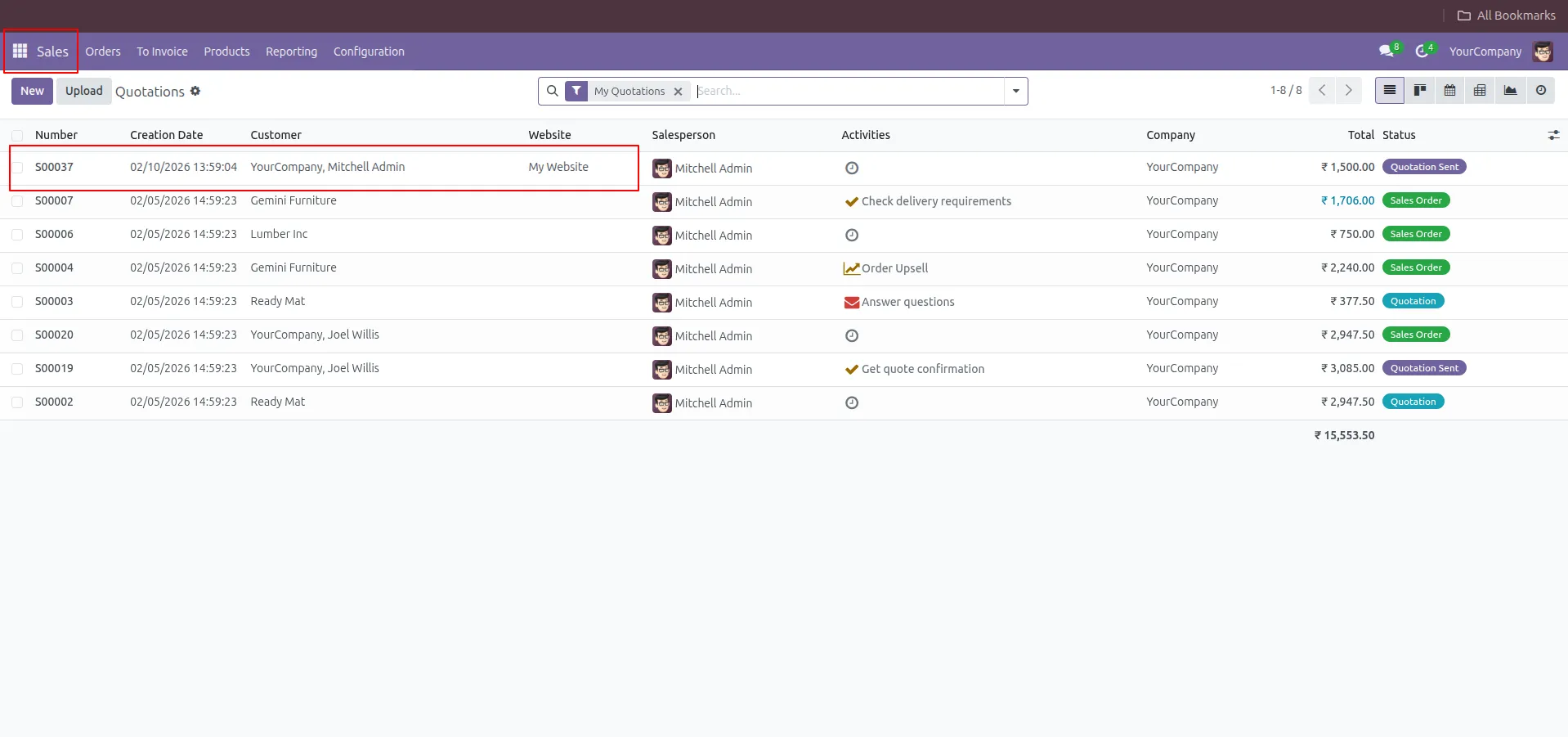
7.Go to Sales → Quotations (Backend).
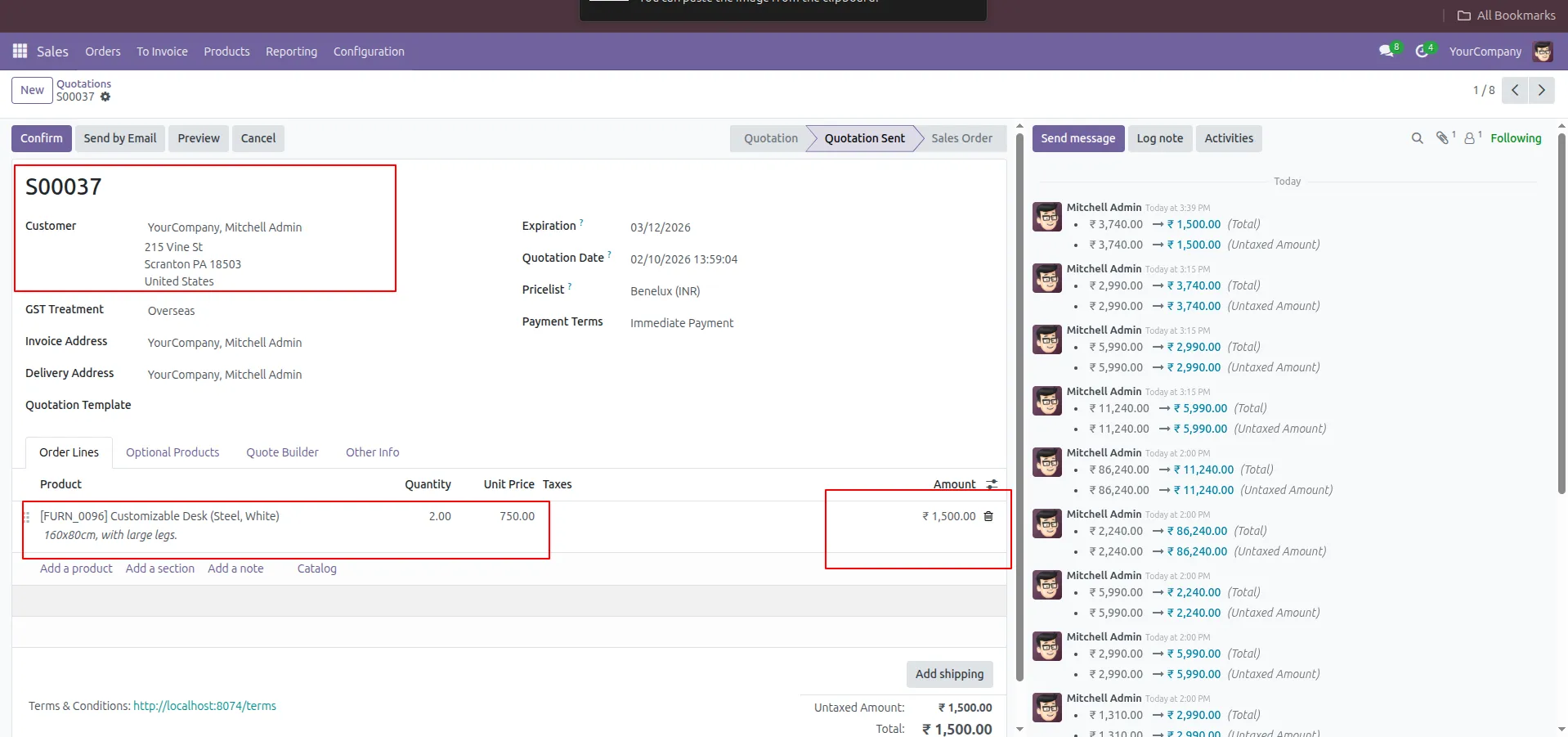
8.Open Quotation S00037 to see updated quantity and total.
Frequently Asked Questions
What is Customer Edit Quotation in Odoo?
It is a module that allows customers to edit quotation quantities and delete lines directly from the Odoo portal.
Can customers edit quotations in the Odoo portal?
Yes, customers can modify quantities and manage quotation lines easily using the portal interface.
How to edit quantity in an Odoo quotation?
Customers can update quantities directly from the portal, and totals are recalculated automatically in real time.
Can users delete quotation lines in the Odoo portal?
Yes, users can delete quotation lines with a confirmation popup to prevent accidental removal.
Are portal changes synced with the backend?
Yes, all updates are instantly synchronized with the Odoo backend quotation for accurate data management.
Why use customer portal quotation management?
It improves customer experience, reduces manual work, and ensures faster and more efficient quotation updates.
Our solutions focus on your problems
- Odoo Implementation
- Odoo Customization
- ERP Development and Implementation
- Odoo Ipass Cloud
- AI for Odoo
- Odoo Apps
- Aws Marketplace Products
- Business Engines
Our Pricing includes User Manual, 90 Days Support (Monday-Friday 10am to 7pm IST) and One time Setup
• Works & tested on standard installations of Odoo with no third party apps,
• Free support only for odoo installations with no third party apps,
• Paid support available for Odoo installations with third party apps.

Prefortune is a Odoo Official Partner, Odoo Development company. Our philosophy is to use Open Source tools and technologies to provide cost effective and green solutions for our customers.
Prefortune Technologies LLP is working on web development, Mobile development, and Odoo ERP.
If you need any help or want more additional features, you may contact us through:
Alternative Products
These other products might interest you